
The online education market has exploded, with thousands of people teaching their skills to others through online courses and elearning programs.
But here’s what most people don’t realize: you don’t need a tech degree or a massive budget to join this revolution. You just need to know where to start and what mistakes to avoid.
We’ll walk through everything from choosing your platform and designing your courses to attracting students and getting paid. So you can create an elearning website.
Disclaimer: If you buy any products through links on this site, I may earn a commission. But it doesn't make any difference to your cost, and it helps me keep this blog running. So you could always read my articles for free.
What is an elearning website?
Before you start building anything, let’s make sure you understand exactly what an eLearning website is and how it works. This foundation will help you make smarter decisions as you move forward.
An elearning website is basically an online platform where people go to learn new skills or gain knowledge through digital courses.
Think of it as a virtual classroom that students can access from anywhere with an internet connection. But here’s the thing: it’s much more than just videos on a webpage.
These platforms combine different teaching tools in one place. You’ll find video lessons, reading materials, quizzes, discussion forums, and assignment submission systems. Some even include live classes where students and teachers interact in real-time.
The best part? Everything gets tracked automatically, so both you and your students can monitor progress without endless paperwork.
Now, elearning websites come in different flavors. Some focus on academic subjects for school students. Others teach professional skills like coding or marketing. And then there are platforms for hobbies like cooking or photography.
The format varies too. You might create an elearning website that offers self-paced courses where students learn on their own schedule, or structured programs with specific start and end dates.
What makes these websites special is their ability to scale. Once you create a course, hundreds or thousands of students can take it without extra work from you.
Plus, students get features like progress tracking, certificates of completion, and often a community of fellow learners. That’s the real magic of eLearning platforms.
Why create a website to sell courses online
You might be wondering if creating an eLearning website is worth your time and effort. Let’s look at the real reasons why people build elearning websites and what they actually get out of them.
The money factor
First of all, let’s address the obvious: eLearning can be profitable. Once you create a course, you can sell it repeatedly without much extra work. Think about it – you build the content once, and then it keeps generating income while you sleep.
Some course creators make anywhere from a few hundred to several thousand dollars per month. But here’s the deal: just because you’ve created an e-learning website doesn’t mean success is guaranteed. It usually takes time to build momentum.
Reach more people than ever
Besides the financial aspect, you can impact way more lives than traditional teaching allows. Instead of teaching 30 students in a classroom, you can start your elearning website and reach thousands online.
And you know what? Your students can be anywhere – from small towns in Iowa to busy cities in India. Geography doesn’t limit you anymore.
Work on your own terms
Here’s something else to consider: flexibility. After you make an elearning website, you can create courses when it suits you, update them on your schedule, and don’t have to show up at a specific place every day. Students learn at their own pace too, which means less pressure on everyone involved.
Build your reputation
Creating quality courses also establishes you as an expert in your field. This credibility can open doors to speaking opportunities, consulting work, or other business ventures. Plus, there’s something satisfying about seeing students succeed because of what you taught them.
The bottom line is this: creating an eLearning website offers multiple benefits beyond just making money. Still, it requires commitment and patience to see real results.
Steps to create an elearning website
Now that you understand what an eLearning website is and why you might want one, let’s get into the actual steps to build it. These seven initial steps will take you from idea to a functioning website ready for students.
Pick a niche
First things first: you need to choose your focus area. A niche is basically the specific subject or audience you’ll serve. Instead of trying to teach everything to everyone, you’ll do better by specializing.
For example, rather than “business skills,” you might focus on “Excel training for accountants” or “social media marketing for restaurants.”
Here’s how you can pick the right niche to create your elearning website: start with what you know well, then check if people actually want to learn it. Look at online forums, social media groups, and existing courses to see what questions people ask.
The sweet spot? A topic you’re knowledgeable about that also has decent demand but isn’t completely saturated with competitors.
For more information, check out this post on how to choose a niche for online courses.
Decide on a course topic
Once you’ve got your niche, it’s time to choose your specific course topic. This should solve a real problem for your target audience. Let’s say you are building an elearning website and your niche is photography for beginners. Your first course might be “Master Your Camera’s Manual Mode in 7 Days.”
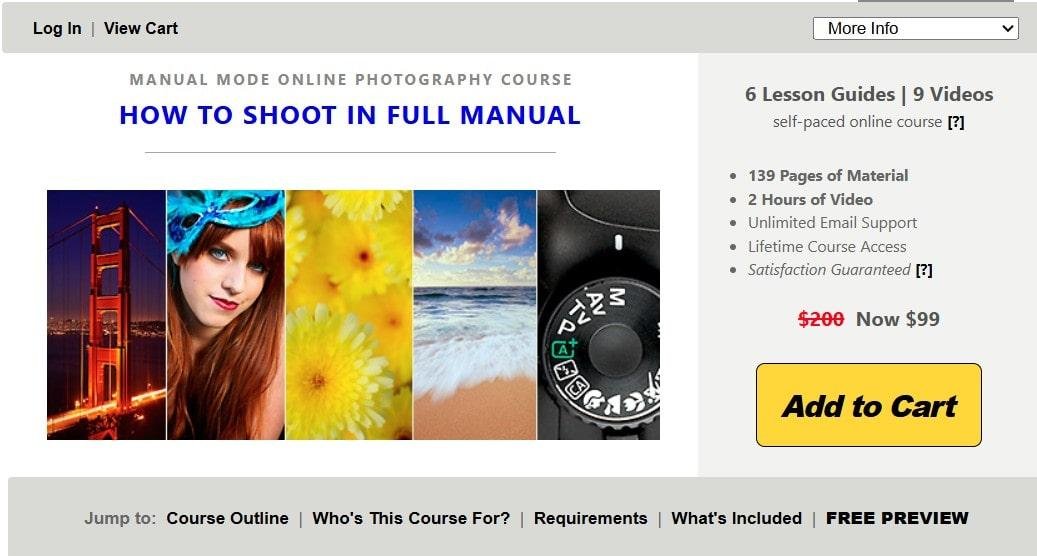
The key here is specificity. People want clear outcomes, not vague promises. Besides that, your first course doesn’t need to cover everything. In fact, it’s better to start small and expand later based on student feedback.
To learn more, read this post on how to choose an online course topic.
Create course videos
Now comes the part of creating an elearning website that scares most people: recording your content. But wait, it doesn’t have to be Hollywood quality.
Students care more about learning than production value. You can start an elearning website and create a course with just your computer’s webcam and microphone, or even your smartphone.
Here’s the deal: plan your lessons before recording. Write an outline for each video, keeping them between 5-15 minutes long. Shorter videos are easier to record and easier for students to digest.
Also, don’t try to be perfect. A few “ums” and “ahs” make you seem more human and relatable.
For screen recordings, free tools like OBS Studio work great. If you’re showing physical demonstrations, good lighting matters more than an expensive camera. Natural light from a window often works better than fancy equipment.
For more details, take a look at this article on how to create training videos for online courses
Get a domain name
With your content ready, you need a home for it online. That starts with a domain name – your website’s address.
Pick something short, easy to spell, and related to your niche. Avoid hyphens and numbers if possible, since they’re harder to remember and share.
You can buy domains from registrars like Namecheap or GoDaddy for about $10-15 per year.
Here’s a tip you can use when you are at this stage of creating an elearning website: check if your desired name is available on social media too. Consistent branding across platforms helps students find you easier.
To know more, read this blog post on how to buy a domain name.
Purchase hosting
Think of hosting as renting space on the internet for your website. When you make an elearning website, the domain acts as the address, but hosting is the actual house.
Shared hosting plans from companies like Bluehost or SiteGround start around $5-10 per month and work fine for new websites.
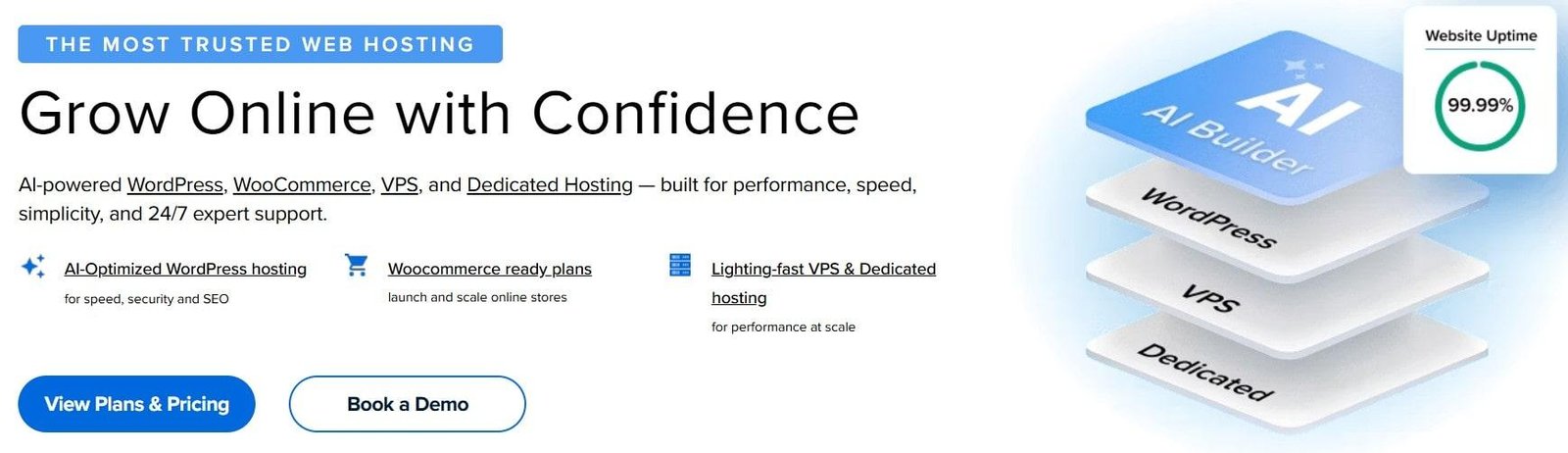
The only problem? Cheaper hosting might slow down as you grow. Nevertheless, you can always upgrade later when you have more students and income. Most hosting companies make upgrading pretty painless.
To learn more, check out this article on the best LMS hosting service providers.
Install WordPress
WordPress powers about 40% of all websites, and for good reason. It’s free, flexible, and has tons of eLearning-specific features through plugins.
Most hosting companies offer one-click WordPress installation, which takes about five minutes.
Don’t confuse WordPress.org (the software you install on your hosting) with WordPress.com (a separate hosted service). If you want to create an e-learning website with maximum control over it, WordPress.org is the correct choice for you.
After installation, you’ll log into your WordPress dashboard where you’ll manage everything from content to student enrollments.
Pick a theme
Your theme determines how your website looks. While WordPress comes with basic themes, you’ll probably want something designed specifically for eLearning.
Free themes like Astra or OceanWP work well with learning management system plugins.
For what it’s worth, paid themes often include better support and more features, but they’re not necessary when starting out. You can build your elearning website with a free theme, and always upgrade later.
The important thing is choosing something clean and professional that doesn’t distract from your content.
When selecting a theme, check that it’s mobile-responsive since many students will access your courses on phones or tablets. Also, make sure it’s compatible with whatever learning management system plugin you plan to use (like LearnDash or LifterLMS).
Pick an LMS plugin
An LMS (Learning Management System) plugin is what turns your WordPress site into an actual eLearning platform. Think of it as the engine that powers everything – from delivering lessons to tracking student progress.
You’ve got several options here. LearnDash, LifterLMS, and Tutor LMS are popular choices, each with different strengths.
LearnDash costs around $199 per year and offers lots of features like quizzes, certificates, and drip content. LifterLMS has a free version you can start your elearning website with, then add paid features as needed. Similarly, Tutor LMS offers both free and paid versions.
Here’s the thing: don’t get overwhelmed by features. When you create an elearning website, you need to pick something that handles the basics well – course creation, student enrollment, and progress tracking. You can always switch later if needed, though it’s admittedly a hassle.
For most beginners, starting with a free option like LifterLMS or Tutor LMS makes sense until you validate your course idea.
For more information, read this post on the best WordPress LMS plugins.
Upload your course via the plugin
Now for the fun part of making your elearning website – actually putting your course online. Once you’ve installed your LMS plugin, you’ll create a new course in your WordPress dashboard. Most plugins make this pretty straightforward with step-by-step wizards.
First, you’ll set up your course structure. Create modules or sections, then add individual lessons within them. For example, Module 1 might be “Getting Started,” with three lessons inside it. Upload your videos to each lesson – most plugins let you host them on YouTube or Vimeo to save server space.
Besides videos, you can add text content, downloadable resources, and quizzes. The best part? You don’t have to upload everything at once.
Start with your first module and add more content over time. This approach lets you get feedback and improve as you go.
Configure your payment model
Let’s face it: you need to decide how you’ll charge for your courses. This is one of the most crucial parts of creating an elearning website. The most common options are one-time payments, subscriptions, or payment plans.
One-time payments work well for individual courses, while subscriptions make sense if you’re offering multiple courses or ongoing content.
Your LMS plugin will integrate with payment processors like Stripe or PayPal. Setting this up usually takes about 30 minutes – you’ll connect your payment account, set your prices, and configure tax settings if needed.
Here’s something to consider: pricing psychology matters. A course priced at $197 often sells better than one at $200, even though the difference is tiny.
Also, offering a money-back guarantee can actually increase sales by reducing the risk for students.
Unfortunately, there’s no perfect formula for pricing. Research what similar courses charge, but don’t just copy them. If your course offers unique value or targets a specific audience, you might be able to charge more.
To learn more, check out this post on elearning pricing models.
Promote your eLearning website
You’ve built it, but they won’t just come. Marketing your eLearning website takes consistent effort. After creating your elearning website, you’ll need to try different strategies to see what works for your audience.
Start with content marketing. Write blog posts that solve problems related to your course topic. If you teach photography, write about common mistakes beginners make. These posts can make your elearning website more visible, attract people searching for help, and introduce them to your courses naturally.
Social media works too, but pick one or two platforms where your audience hangs out. LinkedIn might be perfect for professional courses, while Instagram suits creative topics better.
The key is showing your expertise by sharing tips and answering questions, not just pushing your course constantly.
Email marketing remains one of the most effective strategies. Offer a free mini-course or helpful guide in exchange for email addresses. Then send valuable content regularly, occasionally mentioning your paid course.
And you know what? Word-of-mouth beats everything else. Focus on making your first students successful, and they’ll recommend you to others. Ask satisfied students for testimonials and case studies to build social proof.
Final thoughts on building an elearning website
Creating your eLearning website is just the beginning. Success comes from consistently improving your courses, supporting your students, and gradually expanding your reach.
Start your elearning website with these steps, learn from your experiences, and adjust as you grow.
Did I miss anything? Did you try these tips to build an elearning website? Do you have any questions or comments? Share your thoughts below in the comments section.




Really enjoyed this guide! The process to create an elearning website to sell courses online felt practical and easy to follow, especially the way you covered planning, choosing the right platform, and thinking about the student experience instead of just the technical setup. I also liked the emphasis on creating a smooth learning journey because great content alone isn’t enough if the website is difficult to navigate. This is a solid resource for anyone looking to launch their first online course without feeling overwhelmed. Thanks for sharing such a well-structured walkthrough!