
Creating a website used to require knowing complex code and spending thousands of dollars. But that’s changed dramatically.
Right now, millions of people with zero technical skills are launching websites every single day.
Some are making websites to share their hobbies, others are using them to start businesses, and many are just experimenting to see what’s possible. The tools have evolved so much that what once took weeks now takes hours.
So what exactly goes into building a website? Let’s explore the entire process, from your first decision to your site going live.
Disclaimer: If you buy any products through links on this site, I may earn a commission. But it doesn't make any difference to your cost, and it helps me keep this blog running. So you could always read my articles for free.
What is a website?
Before you start building anything, it helps to understand what you’re actually creating. Let’s break down what a website really is and how it works behind the scenes.
At its core, a website is simply a collection of files stored on a computer that’s connected to the internet. Think of it like a folder on your desktop, except this folder can be accessed by anyone with an internet connection.
These files contain text, images, videos, and instructions that tell browsers how to display everything.
For example, Aledade is a website created to deliver a range of solutions—including clinic management assistance, alliance initiatives, a mobile platform, and additional services—tailored for independent clinics, multi-physician groups, and local health centers.
Even with its diverse services and varied clientele, they made the website excel at directing users smoothly through its content.

If you are planning to build a website and want to know how it actually works, here’s the answer: When you type a web address into your browser, you’re essentially asking to see those files.
Your request travels through the internet to find the specific computer (called a server) where those files live. The server then sends the files back to your browser, which assembles them into the page you see.
But wait—there’s more to it. Every website needs three basic components to function. First, you need the actual content files.
Second, you need a domain name (like example.com) that acts as your website’s address. And third, you need hosting, which is basically renting space on a server to store your files.
Websites can range from a single page with basic text to complex applications with thousands of interconnected pages.
Some websites simply share information, while others let you shop, play games, or connect with people worldwide.
Why is a website important?
You might wonder if creating a website actually matters anymore. Especially with social media and ecommerce marketplaces everywhere. Let’s look at why websites remain crucial and what they offer that other platforms can’t match.
First of all, when you build a website, it gives you complete control over your space online. Unlike social media platforms, where algorithms decide who sees your content, your website belongs entirely to you.
You set the rules, choose the website design, and decide what stays or goes. Nobody can suddenly change the terms of service and limit your reach.
Here’s the deal: people expect to find you online. When someone hears about your business, project, or idea, they’ll likely search for your website first.
So, if you don’t make a website, you’ll seem less credible or established. In fact, studies show that most people won’t trust a business without a website.
But there’s more to it. When you create a website, it works for you around the clock. While you sleep, people can discover your work, buy your products, or learn about your services. It’s like having a tireless representative who never takes a break.
The best part? Websites let you reach people anywhere. Your local bakery can attract tourists planning their trip months in advance. Your photography portfolio can land you clients from different continents.
Similarly, if you build a website to blog about vintage cars, it can connect you with enthusiasts worldwide.
Let’s face it—social media profiles come and go. Platforms shut down, trends change, and your followers might not transfer.
Nevertheless, your website remains constant. By making a website, you turn into your permanent address on the internet, building value and credibility over time.
Steps to start a website
Building a website doesn’t have to feel overwhelming. By breaking it down into clear steps, you can move from idea to live website without getting lost along the way. Let’s walk through the essential steps of creating a website.
Plan your website
Before you touch any tools or spend any money, you need a clear picture of what you’re building.
Start the website-making process by asking yourself some basic questions. What’s the main purpose of your website? Who will visit it? What do you want visitors to do when they get there?
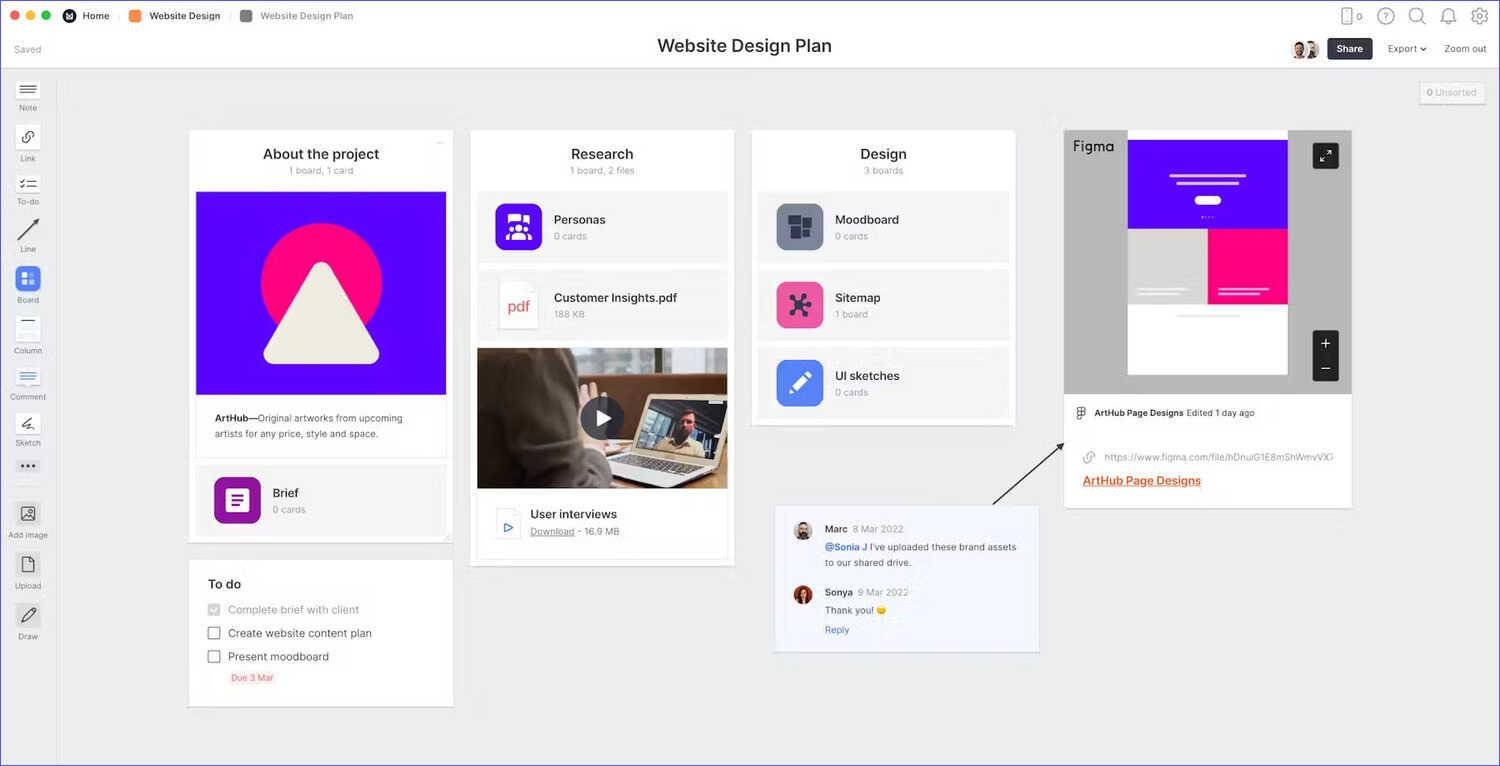
For illustration, here’s how you can organize a website design plan in Milanote.
Here’s how to make this practical: grab a piece of paper and sketch out your main pages.
Most websites need at least a homepage, an about page, and a contact page. If you plan on building a website to sell something, you’ll need product pages. For a blog, you’ll want a place for your posts.
The key here? Keep it simple at first. You can always add more pages later. In fact, starting a website with just three to five pages helps you launch faster and learn what your visitors actually want. Besides that, planning your content now saves you from staring at blank pages later.
For more information, check out this step-by-step guide on how to plan a website.
Get a domain name
Your domain name is your website’s address—it’s how people find you online. Choosing the right one matters because you’ll likely keep it for years.
First of all, try to get a .com if possible. People naturally type .com without thinking about it. If that’s not available, .net, .org, or newer options like .io work too. Just avoid getting too creative with extensions unless they really fit your brand.
A general rule of thumb to follow when you create a website is to keep your domain name short, easy to spell, and memorable.
Avoid hyphens, numbers, or words people commonly misspell. These can make websites difficult to search.
For example, if you launch a website with a domain name like “johns-plumbing-services-2024.com,” it will be much harder to remember than “johnplumbing.com.”
The good news? Domain names typically cost between $10-20 per year. You can check if your desired name is available through any domain registrar, such as Namecheap.
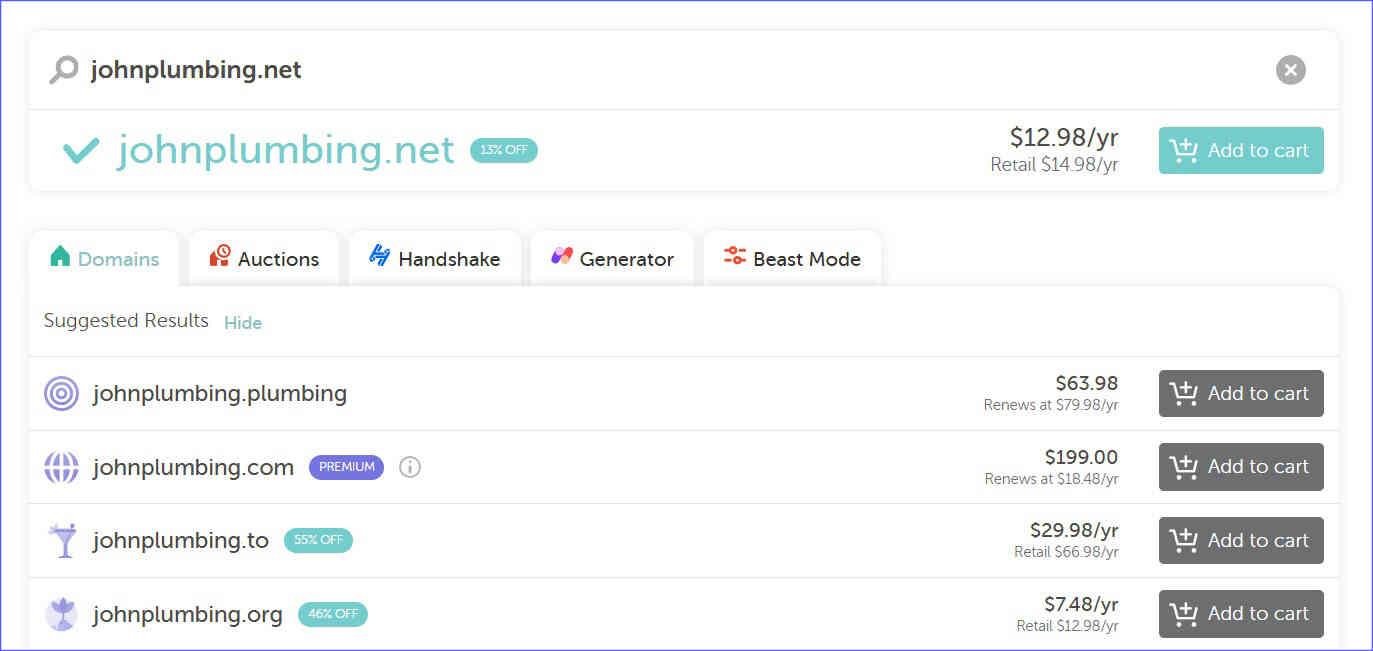
If your first choice is taken, try adding your city name or tweaking it slightly. Nevertheless, when building websites, don’t settle for something completely different from what you want.
To learn more, read this article on how to choose a domain name.
Pick a hosting provider
Now you need a place to store your website’s files. That’s what hosting providers do—they rent you space on their servers and keep your site accessible online 24/7.
You’ll find three main types of hosting. Shared hosting is the cheapest option for creating a website. Here, your site shares server space with others. It works fine for new websites with low traffic.
On the other hand, if you choose VPS hosting to build a website, it will give you more resources and control. Meanwhile, dedicated hosting provides an entire server just for you.
Let me guess—you’re probably thinking about starting with the cheapest option. That’s usually smart. Most beginners, when making a website, don’t need expensive hosting right away. You can always upgrade as your site grows.
Look for providers that offer good customer support, uptime guarantees (aim for 99.9%), and easy WordPress installation if that’s your plan.
For example, SiteGround delivers fast website performance and superior customer service. It also includes complimentary daily backups and an SSL certificate at no extra cost.

Check if they include SSL certificates, which keep your site secure. Prices typically range from $3-15 monthly for basic shared hosting.
Choose a website builder or CMS
This is where you decide how you’ll actually build the website and manage it. You’ve got two main paths: website builders or content management systems (CMS).
Website builders like Wix, Squarespace, or Weebly work like digital Lego blocks. You drag and drop elements to create your pages.
They’re perfect if you want to create a website quickly and don’t need much customization. The only problem? When designing a website, you’re limited to their templates and features.
On the other hand, a CMS like WordPress gives you more control and flexibility. WordPress powers about 40% of all websites, and for good reason.
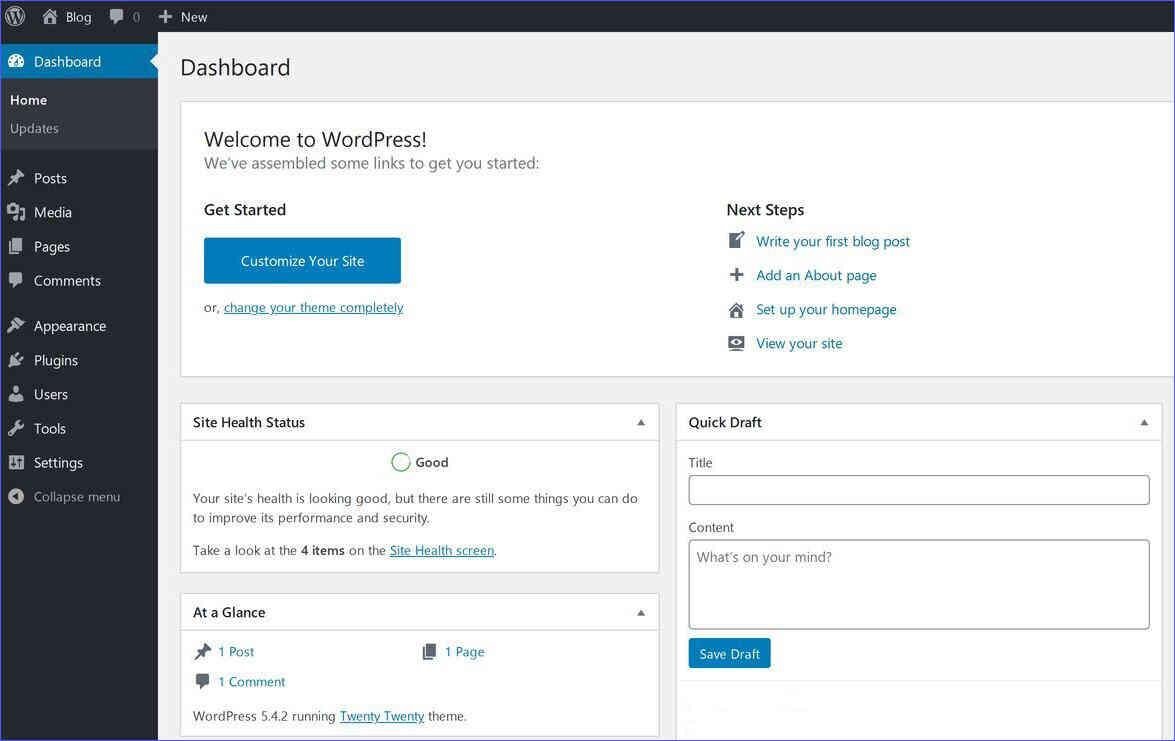
You can customize everything, add countless features through plugins, and truly make the website your own. Still, it requires a bit more learning upfront.
Here’s what matters: choose based on your needs and technical comfort. If you want to launch a website next week with minimal fuss, go with a builder.
If you’re planning something more complex or want room to grow, building a website with WordPress is worth the extra effort.
For more details, read this article on CMS vs website builders.
Configure CMS settings
Once you’ve installed your chosen platform, you need to configure the basic settings. This step often gets overlooked, but it sets the foundation for everything else.
Start with your site title and tagline. These appear in search results and browser tabs, so make them descriptive but concise.
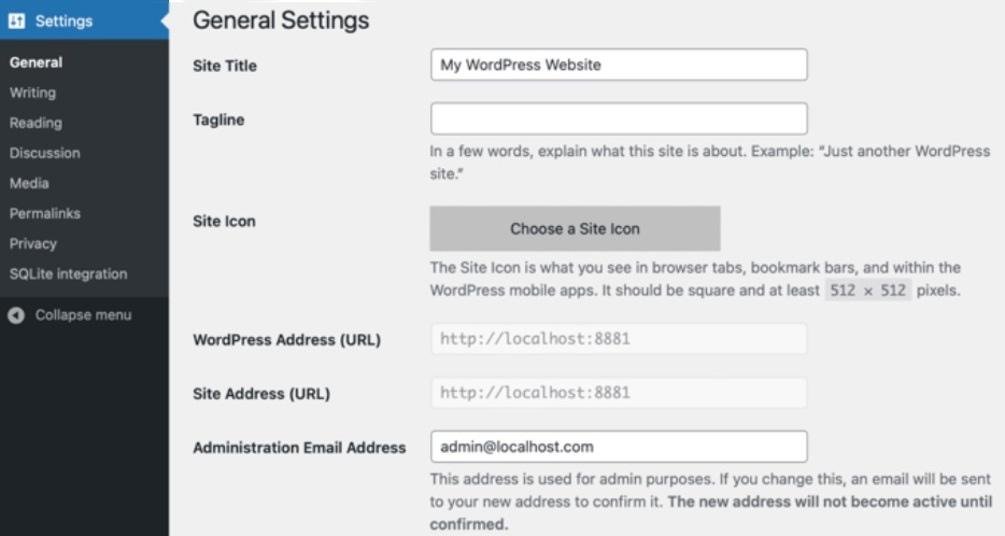
Next, set up your permalinks—that’s how your URLs will look. Choose a structure that includes your post names rather than random numbers.
Don’t forget to set your timezone, date format, and language preferences. These seem minor when creating a website, but they affect how your content displays.
Similarly, configure your discussion settings if you plan to allow comments, and set up user roles if others will help manage your site.
Select a website template
Your template determines how your site looks and feels. This makes this step a crucial part of making a website.
Think of it as choosing the architectural style for your house—you can always change the paint and furniture, but the basic structure stays the same.
Start by browsing templates that match your website’s purpose. If you want to build a website to showcase your photography portfolio, it needs a different layout than an online store or a blog.
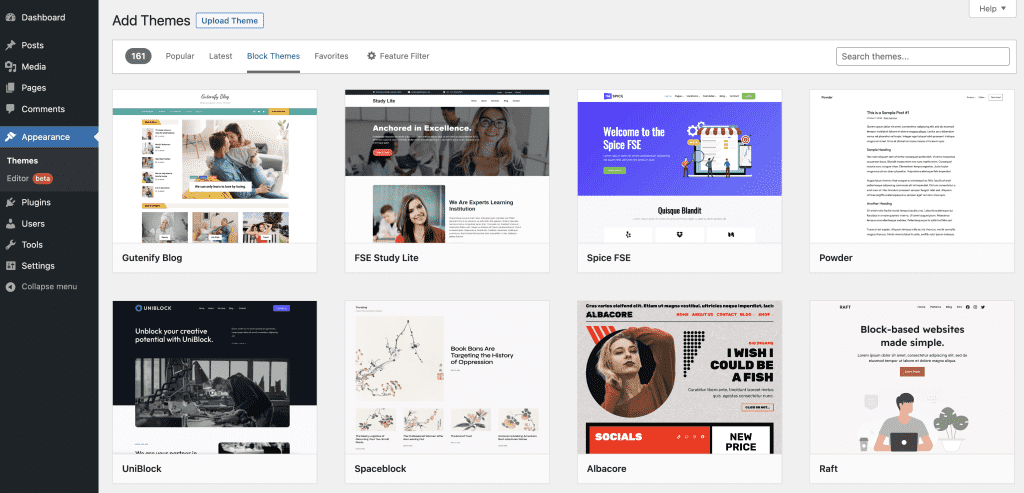
Most platforms offer hundreds of templates organized by category, so when you design a website, you won’t struggle to find options.
Here’s what to look for: responsive design that works on phones and tablets, clean layouts that don’t feel cluttered, and customization options for colors and fonts. Avoid templates that look amazing but need tons of work to match your content.
For example, if a template showcases a restaurant but you want to make a website to provide consulting, you’ll spend hours trying to ensure it fits.
The best part? Most templates come with demo content that shows you exactly how pages will look.
Still, remember that your content probably won’t look as polished as the demo right away. That’s normal. At this stage of website creation, you need to focus on finding a structure that works, not perfect images.
To learn more, read this blog post on how to choose a website template.
Install essential apps or plugins
Plugins and apps add features your website needs without requiring any coding. They’re like smartphone apps but for your website. You’ll find thousands available, but to start a website, you only need a few essential ones.
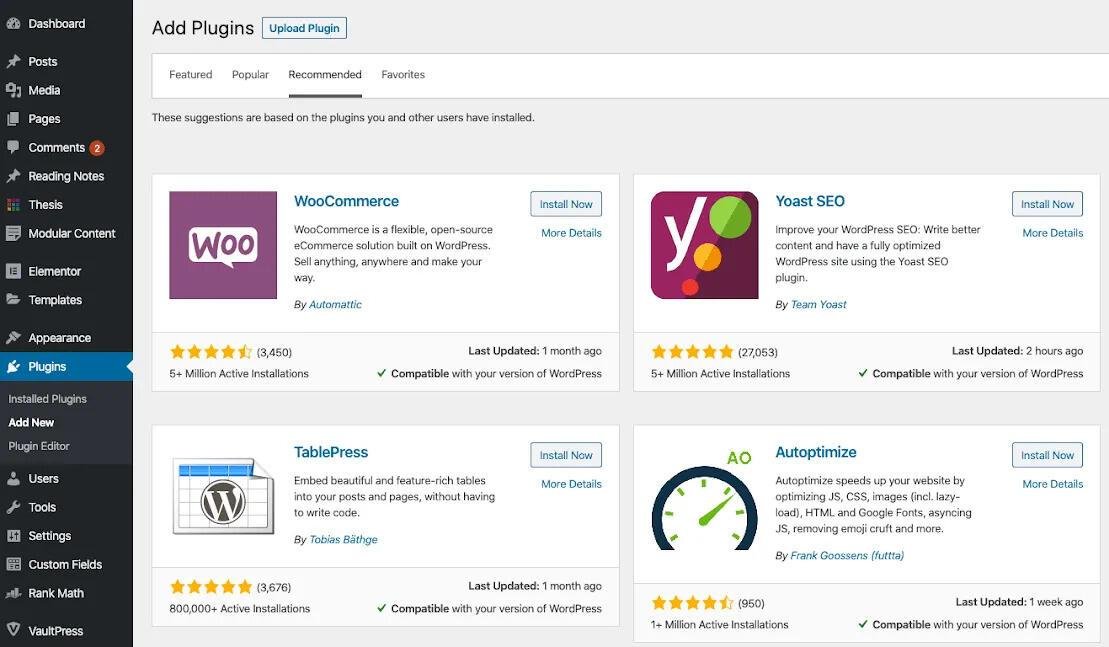
First of all, get a security plugin to protect your site from hackers. Next, install a backup plugin that saves copies of your site automatically. These are crucial steps in the process of building a website, and you’ll thank yourself later if something goes wrong.
Also, add an SEO plugin to help search engines find your content, and a contact form plugin so visitors can reach you.
But wait—don’t go plugin crazy. Each plugin you add makes your site slightly slower and increases the chance of conflicts.
So, when creating a website, remember to stick to well-reviewed plugins with regular updates and lots of active users. If a plugin hasn’t been updated in two years, skip it.
Start with five or fewer plugins and add others only when you actually need them. You can always install more later as your needs grow.
Create basic pages
When you make a website, it needs certain core pages to function properly. These pages give visitors essential information and help build trust.
Let’s face it—if you build a website without the core pages, people won’t take it seriously.
Your homepage is obviously crucial, but you also need an about page that tells your story. People want to know who’s behind the website. Write it like you’re introducing yourself at a casual meeting, not reading a corporate report.
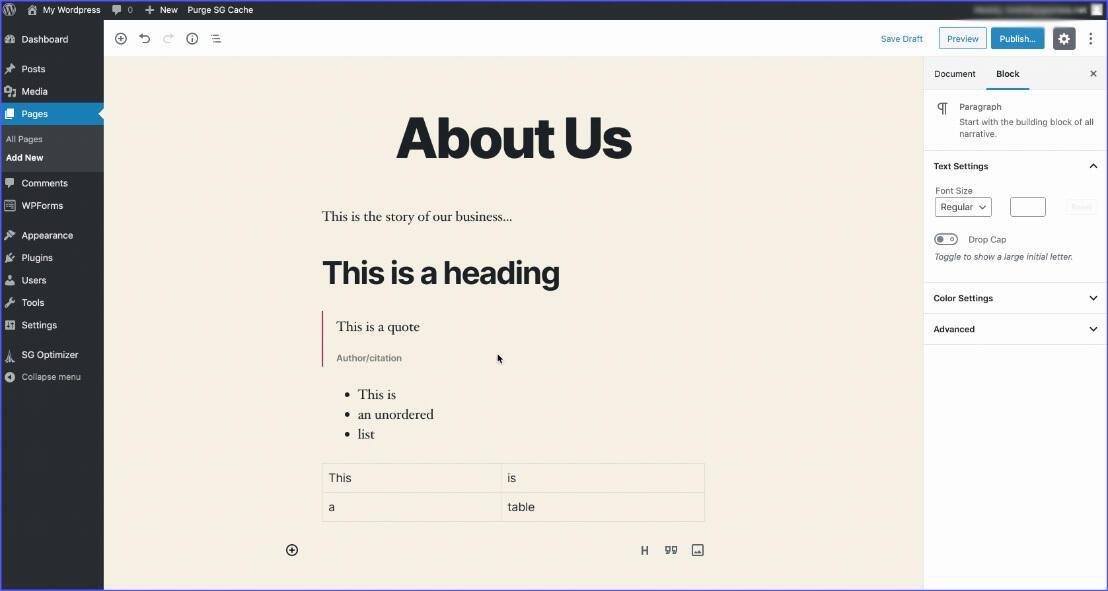
Don’t forget a contact page with at least an email address or contact form. Include a privacy policy page too—it’s legally required in many places and shows you take data protection seriously.
And if you want to create a website for selling things, you’ll need terms of service and possibly a returns policy page.
For what it’s worth, these pages don’t need to be perfect initially. You can refine them over time. The important thing is having them in place before you launch a website.
Add content to your website
Now comes the fun part of making websites—filling your pages with actual content. This is where your website starts coming to life and showing personality.
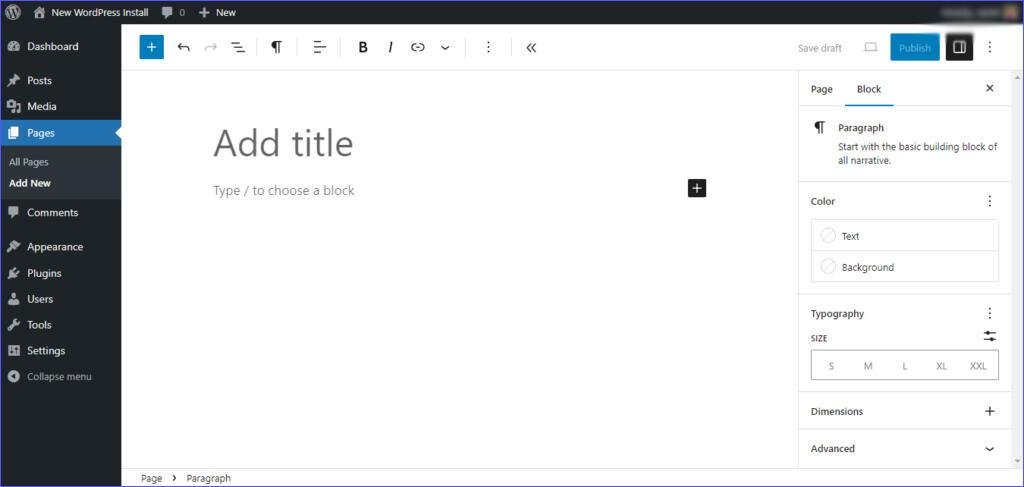
Start building the website with your most important pages. Write your homepage content first, focusing on what visitors need to know immediately. Keep paragraphs short and use headings to break up text. Nobody wants to read giant walls of text online.
Write like you’re explaining things to a friend. Use simple words and short sentences. Add images to illustrate your points and break up the text. Videos work great too if you have them.
The only problem? Many people get stuck trying to write perfect content.
Here’s the truth—you can always edit later. Especially, when you start a website, it’s better to have decent content published than perfect content that never sees the light of day. Besides that, your first visitors will help you understand what information is missing.
For more information, check out my guide for an airtight content strategy.
Create navigation menu
Your navigation menu is like a map for your website. It helps visitors find what they’re looking for without getting frustrated and leaving, making it crucial for website creation.
Keep your main menu simple—usually five to seven items maximum. Put your most important pages there, typically Home, About, Services (or Products), Blog, and Contact.
You can use dropdown menus for subcategories, but don’t go more than two levels deep, or it could make website navigation more complicated.
And you know what? The order matters. So, when you design a website, you need to place your most important pages first, and always end with Contact. This follows the pattern visitors expect from other websites. Also, use clear, descriptive labels. “What We Do” is better than something vague like “Solutions.”
Similarly, consider adding a footer menu for less important but necessary pages like your privacy policy and terms of service.
Implementing this during the process of building a website will keep your main menu clean while still making these pages accessible.
To learn more, read this post on website navigation basics.
Set up website analytics
Unfortunately, you can’t improve what you don’t measure. When you create a website, analytics is something you need to take into consideration. It tells you who visits your site, what they look at, and how they found you.
Google Analytics is free and provides more data than most beginners need. When you make a website, you can install it by adding a small piece of code to your site. Most platforms make this process simple. You’ll start seeing data within 24 hours of installation.
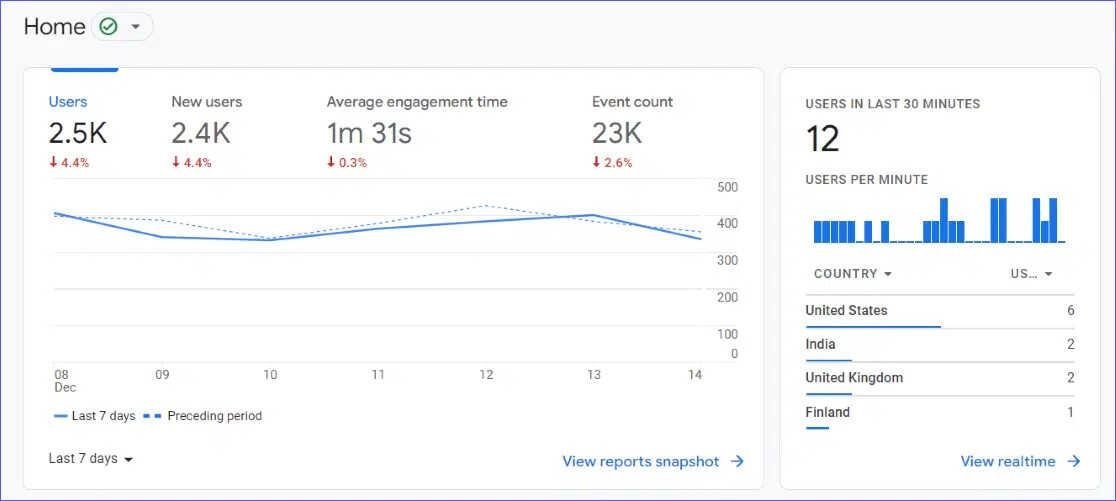
The bottom line is you don’t need to understand every metric right away. Focus on basics like visitor numbers, which pages they view most, and how long they stay.
This information helps you understand what’s working and what needs improvement.
For more information, check out this guide on how to add Google Analytics to a website.
Final thoughts on website creation
Creating a website isn’t as complicated as it might have seemed at the start. You’ve learned that it’s really just a series of logical steps, each building on the last. From planning your site’s purpose to setting up analytics, every piece has its place in the process.
The most important thing to remember? When you first make a website, it won’t be perfect, and that’s completely fine. Every successful website started as a basic version and improved over time. You can launch a website with what you have and refine it based on real visitor feedback.
Now you have the knowledge to get started. Pick your domain name, choose your platform, and begin building. Within days or weeks, you’ll have your own corner of the internet where you control everything. The sooner you start building a website, the sooner you’ll learn what works for your specific goals.
Did I miss anything? Did you try these tips? Do you have any questions or comments? Share your thoughts below in the comments section.